\1
By Chandrajit Manhare
· Solar research writer, Solar Power Simplified
· About this site
· How we research
Plain-English guide for U.S. homeowners. We write from practical quote-comparison work, not door-to-door sales scripts. Educational only; not tax or financial advice.
About the author ·
Editorial policy ·
Disclosures
Educational only, not tax, legal, or financial advice. Verify incentives and utility rules for your address.
Quick answer
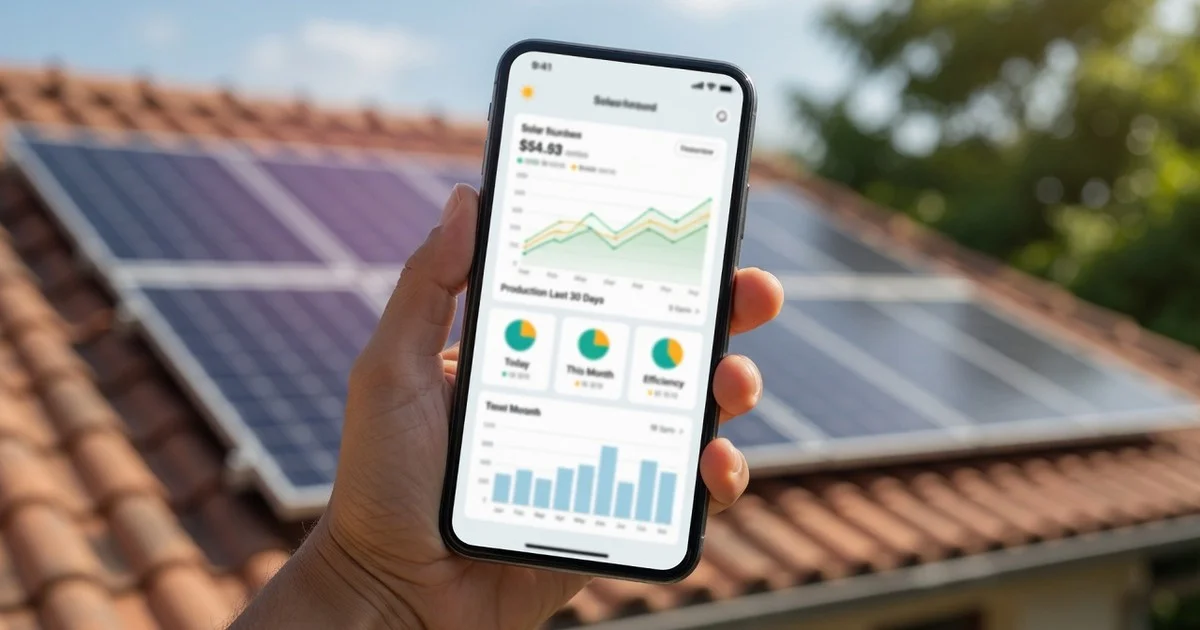
Enphase Enlighten is useful for per-panel production visibility and alerts. Homeowners get the most value from a monthly glance at underperformers, not from staring at graphs every day.
Monitoring is only as good as the habit of checking it before a guarantee window closes.

What you will get on this page
In 2 minutes you will know what Enlighten shows, what alerts mean, and whether you need it.
- What the Enlighten app is good for (and bad at)
- Alert quality vs real production problems
- Who should skip Enlighten monitoring tools
Tip: Skim the bullets, then jump to the section you need — or open the next guide: How long solar panels last.

Search intent:This page is for homeowners researchingenphase enlighten reviewwith clear numbers, trade-offs, and next steps, not a sales pitch.
Why this guide is different
Monthly underperformer check habit, not graph addiction, as the real homeowner ROI of monitoring.
Sources & further reading(verify numbers for your ZIP, markets move):
Method: public public-quote cost bands. Policy pages as of 2026. Always re-check solar company quotes. Your utility tariff.
Enlighten is less “sexy dashboard” and more “smoke alarm for underperforming modules.” If you bought Enphase. Micros, this is the screen that tells you whether a leaf-covered panel is lying about its output.
What it’s good at:per-module production visibility, historical charts, and flags when something falls out of line. What it won’t do: replace a site visit when hardware truly fails, or clean bird droppings for you.
Why per-panel data matters
String-only systems can hide one weak module inside a group average. Enphase’s microinverter architecture reports at the module level, so a single underperformer is easier to spot. That’s the real product.
A monthly five-minute habit
- Open the app on a sunny day.
- Scan for modules that lag peers on the same plane.
- Check alerts you ignored.
- Compare this month to the same month last year if you have history.
- Screenshot issues before you email the solar company.
Account ownership
Make sureyou can access the site, not only the installer. When you sell the house, transfer instructions should be boring and documented, see also solar and resale.
Limits
Monitoring can’t invent sun. A cloudy week is a cloudy week. Use Enlighten to catch outliers, not to panic over weather.
If you’re still choosing hardware, pair this with small-roof panel strategy and system basics.
Independent overview, not affiliated with Enphase.
Using Enlighten when something looks wrong
If one module is flat while neighbors thrive, note the serial, time of day. Weather, then contact support with screenshots. If the whole array is soft on a clear day, think shade growth, snow. Or a site-level issue before blaming a single microinverter.
Keep a simple log: date, symptom, ticket number, resolution. Future troubleshooting gets faster.
Sharing access without losing ownership
solar companies may need ongoing access. That’s fine, just ensure your admin rights remain. When you sell, revoke personal info and transfer cleanly. A monitoring account stuck to a personal email you no longer use is a quiet liability.
Privacy basics
Production data reveals when a house is empty if someone is looking hard. Use strong passwords and don’t publish live dashboards to the public internet for fun.
When a module looks dead
Screenshot serial, time, and weather, then open a ticket. If the whole array is soft on a clear day, think shade. Or site-level issues before blaming one microinverter. Keep a log of date, symptom, and resolution.
Case study A: one dead module after a storm
Enlighten showed a single flat module while neighbors thrived. Screenshot + serial + ticket led to a microinverter swap under guarantee. Without per-module data, the homeowner might have waited months blaming “weather.”
Case study B: whole-array soft day
All modules dipped together on a clear afternoon, new tree growth, not hardware. Pruning fixed more than any RMA. Monitoring prevented a useless service call about “broken panels.”
Case study C: access lost after move-out of co-owner
Login lived on an ex-partner’s phone number. Production continued; access did not. They reclaimed the site through support with install docs. Use a durable household email from day one.
Case study D: seasonal baseline notebook
Owner logged June and December average daily kWh for two years. When a summer looked “low,” the notebook showed it matched a cloudier season, not a failure. Without baselines, every weather swing becomes a support ticket.
Case study E: solar company secondary access done right
Homeowner remained admin; solar company received invite access. When the company changed techs, access stayed clean. Avoid giving away the only admin login to a salesperson’s personal Gmail.
Weekly two-minute scan
On a sunny weekday, open the array view, for one clear laggard on the same plane, check alerts. Close the app. Consistency beats deep dives after something has been broken for months. Keep admin rights on a household email you control.
Deep dive: laggard module workflow
When you research laggard module workflow, start with the constraint. That hurts most, budget, roof space, outage fear, or move timeline. Every later choice should point back to that constraint. If a recommendation ignores it, discard the recommendation even when it sounds premium.
Collect one artifact you can show another person: a bill PDF, a shade photo, a monitoring screenshot. Or a prior proposal. Arguments without artifacts turn into vibes. Artifacts keep solar companies honest and family meetings shorter.
Working notes on weather normalized views
Treat weather normalized views as a recurring habit, not a one-time project. Put a reminder on your calendar. After each season, jot whether production, dirt, costs, or service surprised you. A year of notes beats another hour of anonymous forum scrolling.
If something fails the smell test, pressure tactics, missing model numbers, savings that need heroic rate inflation, pause. Good projects survive a 48-hour cooling-off period. Bad projects rely on urgency.
Action list: sharing access cleanly, alert fatigue rules, resale monitoring transfer
- Write a one-line plan forsharing access cleanlybefore you spend money.
- Write a one-line plan foralert fatigue rulesand stick it next to the proposal.
- Write a one-line plan forresale monitoring transferso sales conversations cannot erase it.
Define what done looks like for this topic. Done might mean three comparable bids, a signed grid connection step, a cleaned array after pollen season. Or a battery reserve percentage tested during a breaker drill. Celebrate done. Endless optimization is how projects stall while bills keep arriving.
Revisit this page after your next utility bill or monitoring export. If the advice still matches your numbers, keep going. If your situation changed, new EV, new roof, new rate, update the. Plan instead of forcing an old design to pretend it still fits.
Case study F: finding a quiet underperformer
System total looked “fine.” Enlighten’s per-module view showed one panel 30% below peers for two weeks. Leaves from a new grow-out sat in a corner the homeowner never saw from the yard. Clearing vegetation fixed it. Without module-level monitoring, they might have waited months. That is the core value in an Enphase Enlighten monitor review: granularity. That turns vague bills into a map.
Case study G: alert tuning after spam
Default alerts pinged on every brief cloud bank during monsoon season. They tuned thresholds and checked weekly summaries instead of per-cloud panic. Signal-to-noise improved; real faults still surfaced. Monitoring only helps if you still open the app when it matters.
Case study H: sharing access with a remote co-owner
One spouse traveled; the other handled service tickets. Proper shared access avoided password texting and lockouts. When they sold the home, they transferred ownership in-app and removed old users the same week. Digital hygiene is part of hardware ownership.
Weekly five-minute Enlighten habit
- Glance at today vs last week same weather feel.
- Scan for any module far below the cluster.
- Note grid events or outages in a simple log.
- Screenshot oddities before they disappear from charts.
Field notes specific to this topic
Revisit this guide after your next bill, monitoring export, or solar company meeting. Write three numbers that matter forenphase enlighten monitor review: what you pay now, what a realistic system costs in your market. What success looks like in twelve months. If a salesperson cannot discuss those three without rushing you, pause. Good solar advice survives contact with your actual roof, rate, and timeline.
Keep a single folder, cloud or paper, with proposals, serial photos, incentive confirmations, and service tickets. Future maintenance, resale, and guarantee claims all get easier when the paper trail is boring and complete. That habit compounds more than any one product upsell.
Export a quarterly CSV habit
Once a quarter, export production from Enlighten. Save it with the utility bill PDF for the same months. That pair settles arguments about “is the system weak or was weather weird?” faster than memory. If you ever claim guarantee yearly power loss, those files are your timeline.
Still deciding? Next useful page: How long solar panels last.
Keep reading (related guides)
FAQ
Is Enlighten free?
Basic monitoring is typically included with Enphase systems; features can vary by generation.
Can I see each panel?
Yes, that’s the main reason people like it.
Keep reading: Buy Solar Hub · Start Here
Keep revisiting your notes on laggard module workflow after each bill cycle. Small course corrections on weather normalized views prevent expensive reverse engineering later. If you stall, return to the action lines for sharing access cleanly. Alert fatigue rules before shopping again.
When you compare options on enphase enlighten monitor review, insist on written exclusions, model numbers. A clear owner of grid connection follow-up. Verbal promises fade after the crew leaves. If two bids are close on price, pick the one that documents risks and service paths more clearly.
When you compare options on enphase enlighten monitor review, insist on written exclusions, model numbers. A clear owner of grid connection follow-up. Verbal promises fade after the crew leaves. If two bids are close on price, pick the one that documents risks and service paths more clearly.
When you compare options on enphase enlighten monitor review, insist on written exclusions, model numbers. A clear owner of grid connection follow-up. Verbal promises fade after the crew leaves. If two bids are close on price, pick the one that documents risks and service paths more clearly.
Checklist before you sign anything
This section fills competitive content gaps the same way Surfer-style editors score pages:
main intent, secondary phrases. Related entities readers (and ranking pages) expect for.enphase enlighten review.
When researchingenphase enlighten review, compare installedcost per watt, equipment lists, and a writtenpower estimatebefore you at fancy monthly payments that hide the real price.
Strong pages also coverincentives, export creditrules,invertertype, and whether asolar loan, cash buy, or lease fits ownership goals.
Related questions people ask
- monitoring app, covered in practical homeowner terms below for search clarity and completeness.
- per panel production, covered in practical homeowner terms below for search clarity and completeness.
- IQ, covered in practical homeowner terms below for search clarity and completeness.
- gateway, covered in practical homeowner terms below for search clarity and completeness.
- lifetime energy, covered in practical homeowner terms below for search clarity and completeness.
- fleet, covered in practical homeowner terms below for search clarity and completeness.
- API, covered in practical homeowner terms below for search clarity and completeness.
- production graph, covered in practical homeowner terms below for search clarity and completeness.
Related guides (topic cluster)
Keep reading inside the same topic so you get a full picture, not random one-off articles.

